
A grow room you can run from your phone
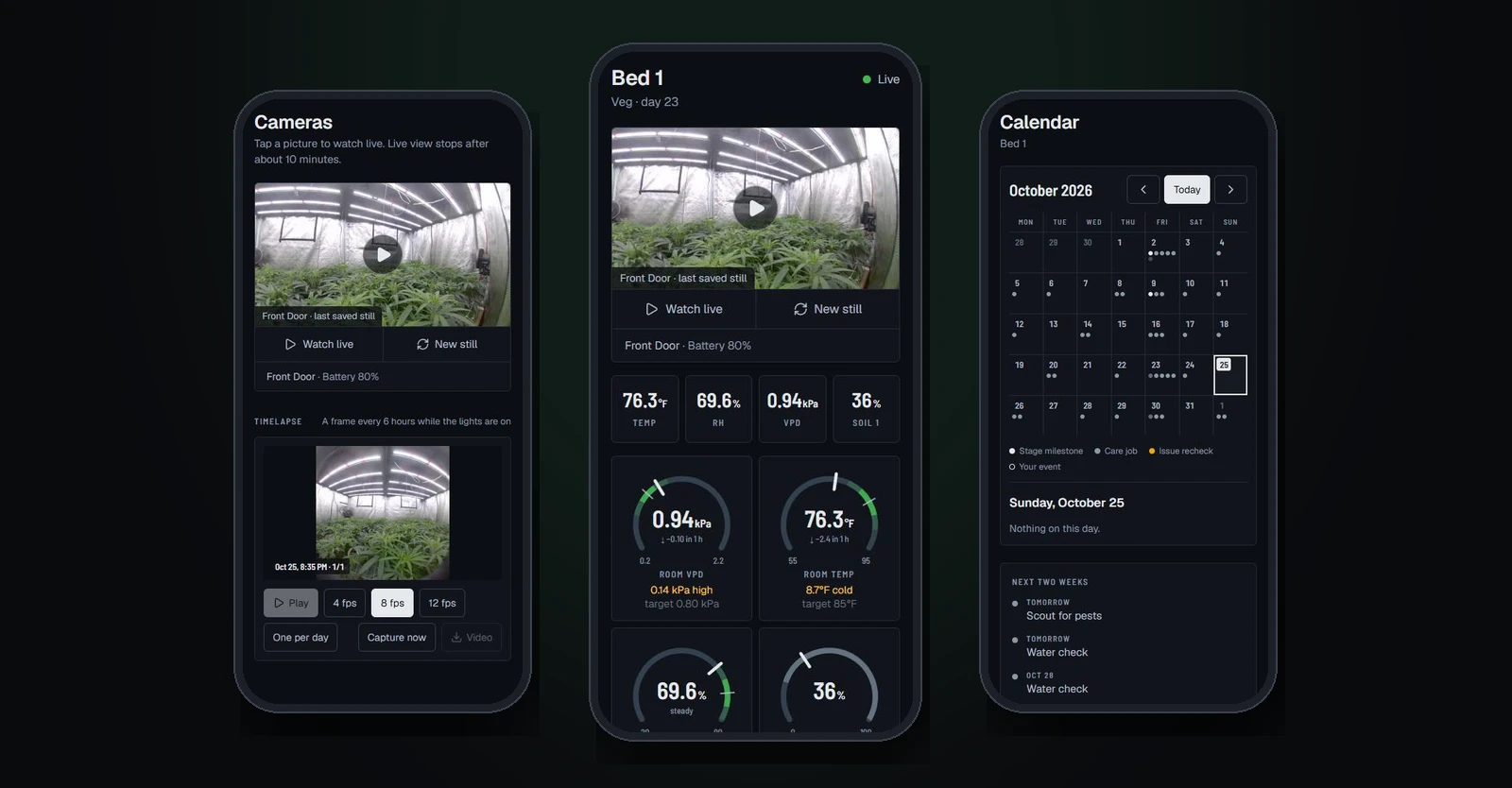
A web app for our own no-till grow. Live readings from the room's sensors, phone alerts when something drifts, exhaust control with safety limits, Ring cameras with timelapse, and a plant-by-plant bed map with the log, issues and grow calendar behind it. It installs on a phone like an app.
Where it stands
The Grow Tracker runs the No-Till Ninjas grow, our own living-soil room. It is live at grow.thenotillninjas.com, and only the crew has accounts. There is no client and no usage number on this page. The screens shown here are from the live app.
It shares its accounts and database with Grow Ledger, the cost-per-gram tool we are building for commercial grows, so a grow that uses one can switch on the other.
The problem
A grow room has a lot of moving parts and no single place to see them. The controller has one app, the soil probes another, the cameras a third. The plant notes live in someone’s phone. When humidity climbs at 2 am, nobody finds out until the morning, and by then the damage is done.
What we built
- The room at a glance. Temperature, humidity, VPD, soil moisture and the rest, each with a gauge and a chart. VPD is charted by default because it is the number the crew checks first.
- Readings that keep coming. The app reads the AC Infinity controllers and Ecowitt probes every five minutes and saves the history, even when nobody has it open.
- Alerts that are worth waking up for. Each room has its own limits. A reading has to be out of range three checks in a row before the phone buzzes, it repeats every two hours while the problem lasts, and it sends “back to normal” when it clears.
- Exhaust control with guard rails. Set the exhaust fan’s speed from the phone or hand it back to the controller’s own Auto program. It stays locked until an owner sets its limits, refuses speeds outside them, and puts the controller back on its own program after two hours unless someone pins the change. Every command is written to the log.
- Ring cameras. The latest still from each camera, live view with two-way talk on tap, and a timelapse built from the stills.
- A bed you can see. Each bed is drawn as a map with every plant spot labeled. Tap a plant for its strain, stage, health and history. The tent’s mother plants, clone batches and veg pots have their own places too.
- Log, issues and calendar. Waterings, feeds and notes go in the log. Pests and problems are tracked from spotted to resolved. The grow calendar shows the run by month and can be edited when plans change.
- Targets and math for the stage. The environment page shows day and night targets for the stage the plants are in, with VPD and the other calculators growers usually do by hand. The amendment calculator is built in.
- Built for a phone. It installs to the home screen like an app, which is also what lets alerts reach an iPhone.
- Locked down. Crew accounts only, with roles. Sensor and camera logins are checked when they are added, then stored encrypted.
Why it matters for your business
Most grow software is made for a thousand-plant facility and priced like one, or it is one more app that only does one thing. A tool built around how one team actually works can put the sensors, the cameras, the plants and the alerts in one place, and it belongs to the grow. The same approach fits any operation that runs on equipment and checklists: a kitchen, a shop floor, a warehouse.

Next project Bed Amendment Calculator (in-house tool): A calculator that scales a soil recipe to every bed
Let’s build something that pays for itself
A free 15-minute call. We look at your site, your listing, and where your hours go, then tell you what we would do first. No deck, no pressure.
Or email info@trichomedigital.com